
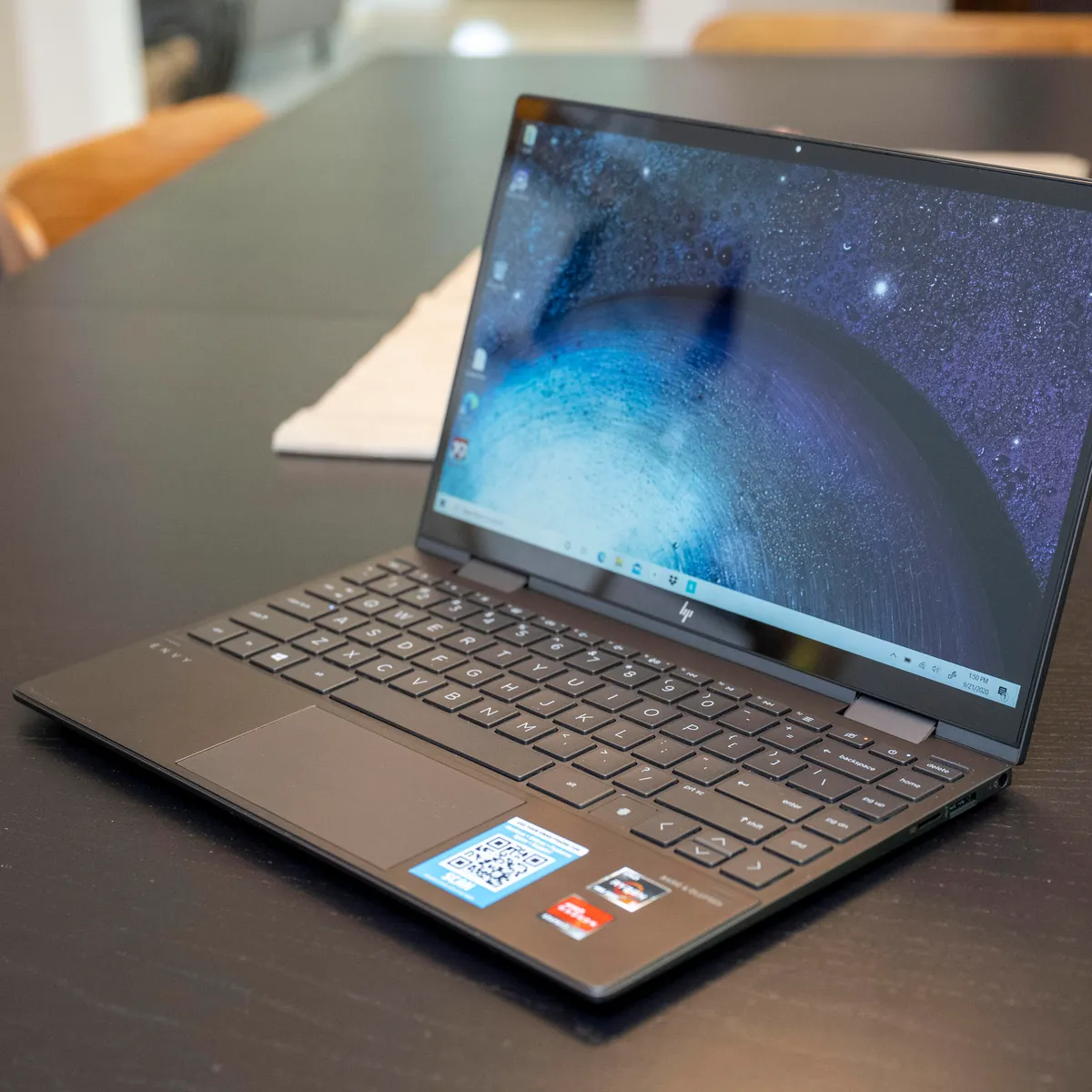
When you require an inexpensive laptop with a 2-in-1 versatility, rapid case build development, and an attractive finish, then take into account the HP Envy x360. It is one of the series of Envy, placed between the general and the upscale models of the company, and providing the balance between power and grace. The model has been most popular among professionals, students, and innovative users who prefer to use a device that can fit in various ways of working.
Table of Contents
Design and Build Quality
The laptop HP envy x360 overall design theme is simple, but sturdy. The aluminum chassis gives it a very solid feel, but also very slim, making it a great pick in portability. HP Envy 360 offers an exclusive 360 drgree hinge that enables you to completely flatten the screen to the back of the laptop, either in laptop or tablet mode. This is rather versatile, that fit both for productivity and entertainment. Weighing about 1.3-1.5kg, the laptop is easy to carry.
The hinge system is designed to support the frequent interchange of modes, which guarantees long-term reliability. The details can be found in such aspects as precision-cut edges, a clean keyboard design, and a very large and responsive trackpad.
Budget Friendly Machine with Good Performance and Functionality Dell Inspiron 3493
Display and Visual Experience
The HP Envy x360 laptop comes in many display sizes such as 13.3-inch and 14-inch and 15.6-inch and 16-inch displays. The HP Envy 360 touchscreen display is intuitive to use and particularly valuable in either tablet mode or presentation mode. The display has a 4K UHD touchscreen that is built with Corning® Gorilla® Glass NBT™ to provide effective scratch and impact protection, as well as optimal brightness and dependability.
The HP Envy 360 Display configurations can be chosen according to user preference for visual optimization, energy efficiency, or depth. Envy x360 is a brand name that is strongly related with immersive visuals, which is of value to its users who listen to media or use graphics.
Performance and Hardware Capabilities
The laptop HP envy x360 is also capable of multitasking effectively, both in the field of document editing and opening various tabs or operating multitasking programs. It has an internal design that contributes to easy going without high heat or noise. The HP Envy x 360 has processors like Core i5, Core i7, or AMD Ryzen.
To users who watch certain specifications, some models, e.g, HP Envy x360 -13-ag0xxx, are usually selected due to their small size and performance moderation. More outdated yet still useful models, such as the hp envy x360 – m6-w102dx motherboard are still worth mentioning by the users who want a reliable and easy-to-use hardware to take care of their everyday tasks.
Keyboard, Audio, and User Interaction
Its keyboard has sufficient key travel, a factor that reduces fatigue when working more than the usual time. The Backlighting capability makes the device usable in low-light conditions, and the trackpad is also sensitive to gesture recognition.
The HP Envy x 360 sound is also clear, so it can be listened to in any video call, studies on the internet, or even just for entertainment.
HP Envy x360 Charger and Battery
The latest generation of HP’s Envy x360 with Intel Core Ultra processors has a battery life of approximately 13 to 15 hours on general tasks (or through the use of video content), while earlier generations or higher-performance versions provided users with a battery life of roughly 6 to 12 hours.
Accessories and Protection Options
The accessories can increase the life cycle and longevity of the HP Envy x 360. Accessories such as a gumdrop bumper case HP Envy x360 laptop safeguard against any accidental drops and hits.
The HP x360 use of a stylus and the external peripherals also contribute to the functionality, as the laptop could be easily adjusted to the requirements of note-taking, drawing, and presentation.
Maintenance and Upgradability
Although the compact design has become a priority in the current convertible laptops, maintenance is also a significant subject area. In general, components like storage and memory are usually set during purchase, and users need to be careful about specifications. The HP x360 software has to be updated regularly and given proper physical maintenance to sustain performance and the long life of the device.
Software advantages:
- Easy multitasking
- Touch-friendly features
- Wide software compatibility.
- Smooth performance.
Pros and Cons
| Pros | Cons |
| Access to accessories and spares is easy. | Inappropriate for hardcore games or advanced video editing. |
| Powerful and impressive metal body. | The battery performance is determined by the use and the model. |
| Touchscreen smooth response. | Old models do not have the new hardware features. |
| Easy keyboard and pad. | |
| Good battery life in everyday applications. |
Read more informational content at EliteBook
Final Thoughts
HP x360 is good enough to perform daily, learn, and also work creatively. Having several modes of usage and durability over time, the HP Envy x360 laptop remains reliable among modern users seeking versatile use of a laptop.