
Most people use advanced google search just for simple keyword searches. But now the search engine has effective features that can give you much more accurate and useful results. You are capable of discovering information of excellent quality, academic study, and even particular types of images if you know how to use advanced options, filters, and special search methods.
This article shows you, in a simple but effective way, how you get more out of Googles advanced search tools.
Table of Contents
What are Advanced Google Search Techniques
Users may filter down questions and control how results show up in advanced Google search methods. You can tell Google exactly what to include or leave out, so you don’t have to look through thousands of pages.
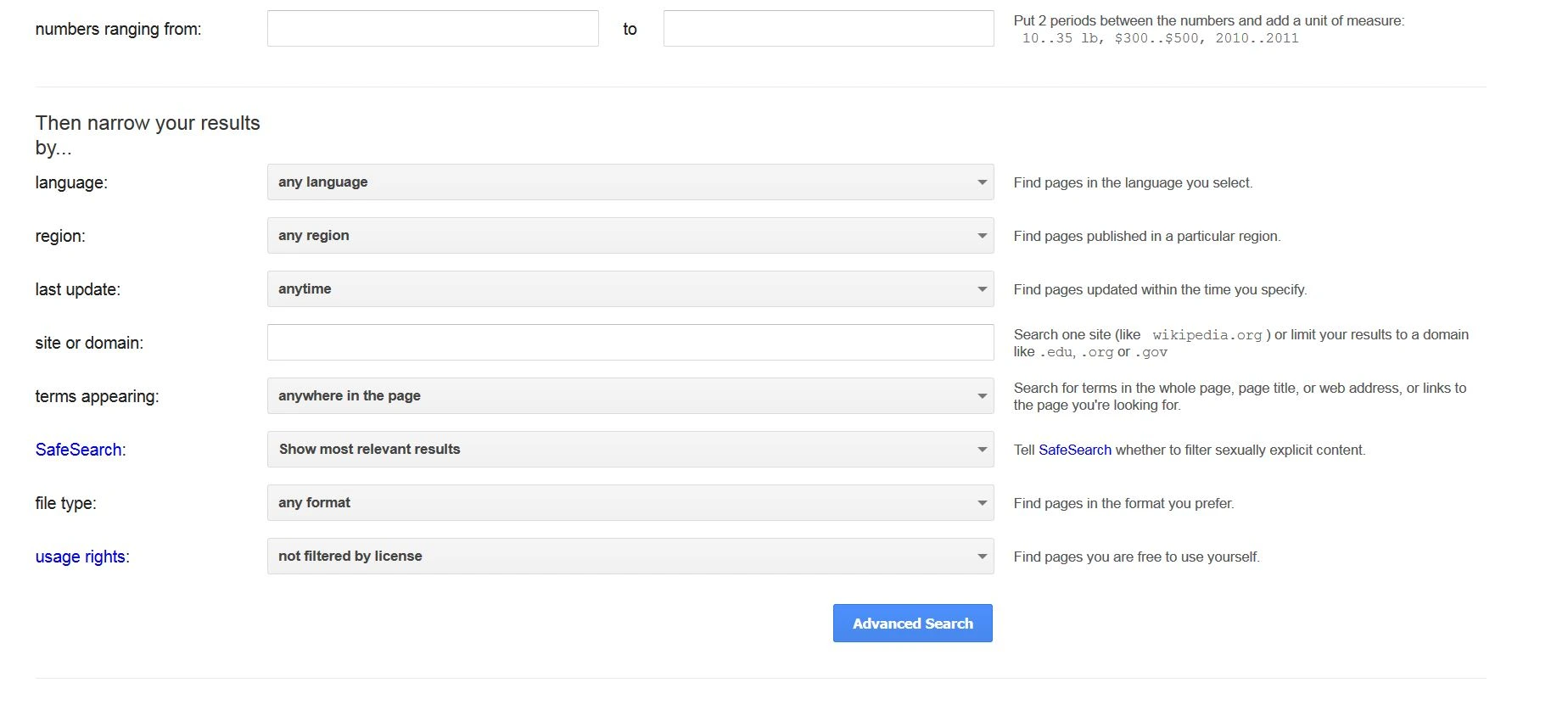
Google provides an Advanced Search interface where users can:
- Search for exact phrases
- Include or exclude specific words
- Filter results by language, region, or last update
- Limit searches to a specific website or file type
These advanced google search options are helpful for everyone’s research, content writing, and professional work. These are all best when accuracy matters.
Twitter Trending: How to Make Your Brand Trend on Twitter
Use of Google Advanced Search Operators for Better Results
One of the most effective ways to refine searches is by using Google advanced search operators. You just need these simple symbols or commands typed directly into the search bar.
For example:
- Quotation marks help find an exact phrase
- The minus sign removes unwanted terms from results
- The site command limits results to a specific website
- File type filters results to PDFs, Word files, or presentations
A lot of writers, journalists, and SEO experts use these operators to quickly find the most precise data.
Advanced Search on Google Scholar Simplifies Academic Research
Google Scholar is a reliable resource to look for scholarly books, papers, and studies that have been reviewed by other researchers. Its “advanced search” feature lets users concentrate their academic questions better.
With Google Scholar advanced search, you can:
- Search by author name
- Find articles published in specific journals
- Use exact phrases for research topics
- Filter results by publication year
As a student, educator, or worker, such an opportunity is great for those who require reliable academic content.
Finding the Right Visuals with Advanced Google Image Search
Presentations, blogs, and all methods of advertising on Google require images to work. Users don’t have to keep moving to find the right picture. Google advanced image search can do it for all of them.
This tool allows filtering images by:
- Size and resolution
- Color and background
- Image types such as photos, illustrations, or line drawings
- Usage rights for reuse or modification
How Google Images Advanced Search Improves Accuracy
Google Images advanced search is very convenient if you need images for expert or commercial purposes. You can focus on only relevant results by choosing certain filters that keep out not of low quality or restricted visuals.
For example, designers frequently use these filters to find pictures with excellent resolution, but content creators use them to identify images that are accessible to use without any credits.
Practical Examples of Advanced Searching
- To find official reports from universities, you can search within educational websites only.
- To locate recent academic studies, use date filters in Google Scholar.
- To find reusable images, apply usage rights filters in image search.
These advanced Google search small adjustments significantly improve search efficiency and result quality.
Why Learning Advanced Search Matters
Using advanced google search methods helps you:
- Save time by reducing irrelevant results
- Improve research accuracy
- Access trusted academic sources
- Find legally usable images with ease
If you are a scholar, researcher, marketer, or writer, learning these search techniques will help you. You can get more and feel better about your work.
Read more informational content at EliteBook
Final Thoughts
Google provides more than just looking for keywords. This time, you just need to know how to use advanced Google search filters, operators, academic search tools, and image search tools. After this knowledge, you have full control over how you search. These advanced Google search extra features make Google more than just a search engine. They make it an accurate research tool for everyone.
Frequently Asked Questions
1. Is it possible to use advanced search tools on our phone?
Yes, most of the more technical ways to search also work on iPads and phones. Some advanced search pages are easier to get to on a desktop. But you can still use search operators and picture filters right in the search bar on your phone.
2. Do advanced search techniques affect search result ranking?
When you use advanced search methods, Google doesn’t change how it ranks websites, but it does make the results you view better. This means you see more pages that are valuable to you without impacting how Google ranks all pages.
3. When using academic search tools, how accurate are the results?
Academic search tools usually list writers, universities, and publications that you can trust. Before a study, users should still consider the credibility of the authors and the source of the research.