
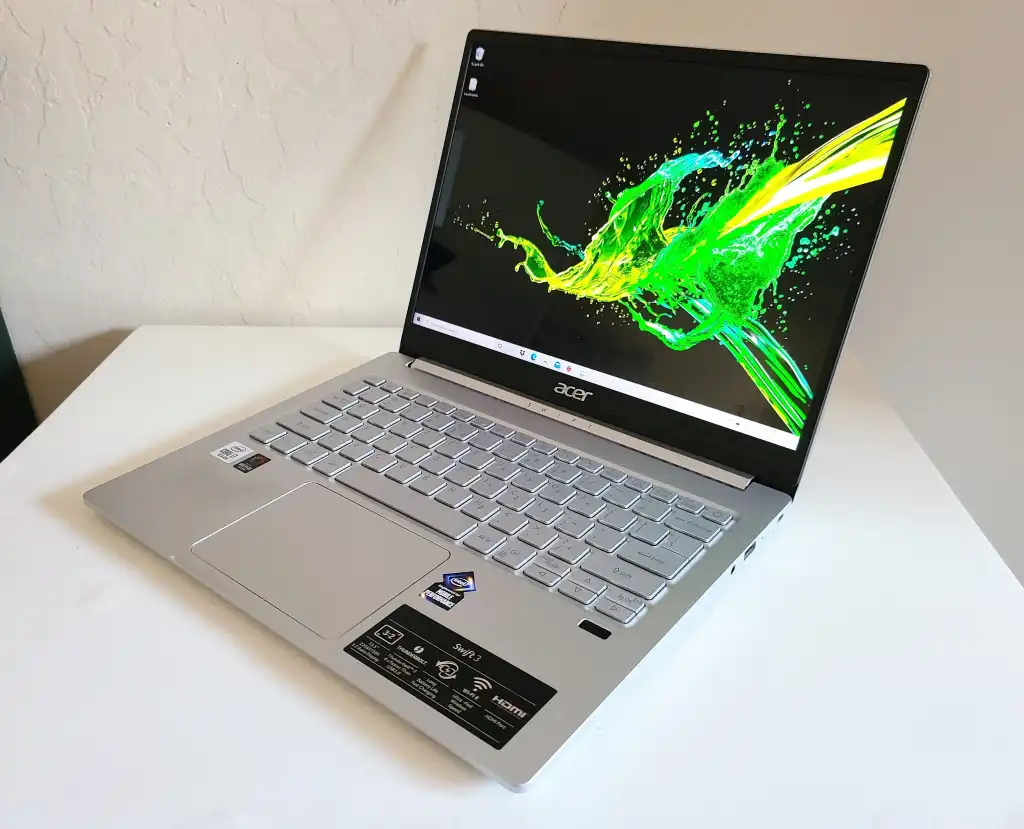
The Acer Swift 3 laptops are the perfect mix of effectiveness and portability. It’s not a flagship, such as a MacBook Pro or an XPS laptop, but it will fare well enough under the working conditions of students, office workers, and general users.
Table of Contents
Design and Build
Acer Swift 3 is slim, light, and easy to carry around. Most of the units weigh 1.2-1.5 kg. The construction is typically aluminum or alloying metal, which makes the body look hard and high-end even though it belongs to the mid-range of the market rather than the luxury market.
The Acer Swift 3 general design style is simple and functional with no gilded accessories or violent lines. Such a simple design makes Swift 3 inconspicuous in the business environment. Its lid and keyboard deck are usually silver or gray, and the keyboard itself is provided with back-lights in many of the models, which is very convenient in case an individual works in dark areas.
Gaming Laptop Specifications Display Performance Processor Graphics Acer Nitro 5
Sharp and Comfortable Display for Work
Acer Swift 3 is mainly available with a 14-inch display; however, older models have a 13.5-inch display with a resolution of 2560 x 1440. It means that the text is clear and sharp, and pictures are bright and legible.
The screens are powered by IPS panel technology, with wide viewing angles and reasonable color accuracy. This enables them to be used in editing documents, browsing the web, spreadsheets, and even moderately with respect to photo work. These are not OLED screens and can not compete with high-end screens in terms of deep blacks.
Performance and Power
The most notable advantage of computer Acer Swift 3 line is that the hardware can be scaled based on the requirements:
CPU / Processor
The base configuration units utilize Intel Core i3 processors and are good for basic usage like web browsing, email checking, word processing, and watching movies plus shows. The middle-level models come with an Intel Core i5 chip that strikes a balance in price versus performance that may be regarded as most productive in certain light multitasking.
Stronger processors up to Intel Core i7 series (e.g., 12th-gen Core i7-1260P) have several cores with higher performance and lower power consumption to serve bigger process demands (e.g., a large spreadsheet, code writing, or even multitasking (having a range of processor tabs open at once). It also has Swift 3 models, powered by AMD Ryzen processors (most prominently the Ryzen 4000 series), which are quite competitive in price.
Memory and Storage
RAM comes in different models, like 8GB is enough to get day-to-day activities, whereas 16GB is more appropriate in the case of heavy multi-tasking or task-intensive applications, such as development tools or editing software. Storage is solid-state (SSD), typically PCIe NVMe- based, solid state storage is very fast by comparison to traditional hard drives. Available sizes of 256GB through to 1TB or beyond have fast start-up times, speedy access to files, and abundant file and program space.
Graphics
The Swift 3 does not have its own graphics card. In its place, it has built-in graphics, like the Iris Xe by Intel or the graphics part of the Ryzen chip. They can handle the normal visuals and even a bit of light gaming or video editing, but this is not for high-end gaming or when a graphics professional wants to get their work done.
Acer Swift 3 Variants
| Acer Swift 3 SF315-41 | Acer Swift 3 SF315-41G |
| Students and office users | Power users and light creators |
| AMD Ryzen 5 / Ryzen 7 | AMD Ryzen 5 / Ryzen 7 |
| Integrated AMD Radeon Graphics | Dedicated NVIDIA GPU |
| Efficient single-fan cooling | Enhanced cooling for GPU load |
| Battery life up to 12 hours | Slightly lower due to GPU usage |
Battery Life
Acer claims up to 10 to 16 hours on a charge for certain of the latest models, but actual field tests demonstrate that this depends on the screen brightness, workload, and configuration. The heavy workloads will decrease battery life, and more basic activities, such as moderate brightness web browsing, will increase the battery life even more. (Acer India)
Connectivity
Swift 3 models provide a wide variety of ports:
- USB-C Thunderbol4/ USB4 compatible: To charge, transfer data, and simultaneously display your desktop.
- Older USB-A ports: The ports are traditional USB-A and do not need a dongle for use with older hardware.
- HDMI port: Very useful when you are connecting it to the projector or external monitors.
Webcam, Audio, and Everyday Features
The built-in web camera depends on models, though new models are equipped with 1080p Full HD cameras and noise-cancellation features such that video calls appear clearer even in dim lighting conditions. Acer relies on software such as Acer PurifiedVoice™ to remove the background noise during a call.
Read more informational content at EliteBook
Conclusion
Acer Swift 3 is a combination of performance, portability, and price. It is a good option among students, professionals, and casual users across its range of models, including entry-level Intel i3 notebooks and models based on both Intel Core i5 and i7 or AMD Ryzen processors. The Swift 3 provides practical performance with an attractive appearance, decent battery life, a modern collection of ports, along with a reasonable quality of keyboards and displays, and has enough everyday power to accomplish most tasks.